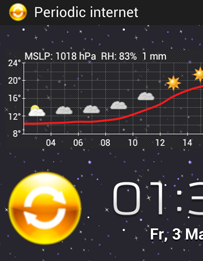
 Our task, lets call it "periodic internet", will disconnect the phone from the network for 14 minutes, then connect for 1 minute and get all the notifications before starting over again by disconnecting for 14 minutes... All calls and SMS will be received in real time, while all the notifications will be delayed by up to 14 minutes. The benefit is the significantly improved battery life. Because of this task, my phone uses only 2% of the battery per hour! I configured Tasker to run this task while I'm at the gym, or at night when not connected to a power supply. Sometimes I activate it manually, because I know my phone won't make it trough the day otherwise.
What are we going to do:
- We will configure a widget on our home screen one can tap to activate and deactivate the "periodic internet" task
- We will show a permanent notification while running this task, after clicking the notification the task we be canceled and the permanent internet connection will be restored
- The notification will show the time when the phone was connected to the internet the last time and how often the internet has been turned off and on already
- Android phone
- Tasker - create your own small programs
- Zoom - an app able to create interactive widgets, install it after Tasker.
- Crystal Project HD icon pack - we will use one of the icons
- 10-20 minutes lifetime
The "periodic internet On" task
The task checks which internet connection radios are on, saves them into global variables for later use and turns WiFi and data off for 14 minutes, after that it turns them on for 1 minute before repeating itself by turning them off again. At the beginning of the task a zoom widget is modified, I will explain this later. Moreover a notification informing that the task is running is shown. Skip the line A2, add it later after you have created a "Periodic internet widget" as described later in this post.Periodic internet On
Abort Existing Task
A1: Variable Set [ Name:%PERIRADIO To:1 Do Maths:Off Append:Off ]
A2: Zoom Element Visibility [ Element:Periodic Radio.w / StateON Set:On ]
A3: Variable Set [ Name:%num To:0 Do Maths:Off Append:Off ]
<Loop>
A4: Anchor
A5: Variable Add [ Name:%num Value:1 Wrap Around:0 ]
A6: Notify [ Title:Periodic internet Text: Icon:ipack:crystalhd:quick_restart Number:%num Permanent:On Priority:3 ]
A7: Variable Set [ Name:%MOBILDATA To:1 Do Maths:Off Append:Off ] If [ %AIR ~ off ]
A8: Variable Set [ Name:%MOBILDATA To:0 Do Maths:Off Append:Off ] If [ %AIR !~ off ]
A9: Variable Set [ Name:%WLANTMP To:1 Do Maths:Off Append:Off ] If [ %WIFII ~R CONNECTION ]
A10: Variable Set [ Name:%WLANTMP To:0 Do Maths:Off Append:Off ] If [ %WIFII !~R CONNECTION ]
A11: Variable Set [ Name:%noradio To:%MOBILDATA+%WLANTMP Do Maths:On Append:Off ]
A12: If [ %noradio ~ 0 ]
A13: Stop [ With Error:Off Task: ]
A14: End If
A15: Mobile Data [ Set:Off ]
A16: WiFi [ Set:Off ]
A17: Wait [ MS:0 Seconds:0 Minutes:14 Hours:0 Days:0 ]
A18: WiFi [ Set:On ] If [ %WLANTMP ~ 1 ]
A19: Mobile Data [ Set:On ] If [ %MOBILDATA ~ 1 ]
A20: Wait [ MS:0 Seconds:0 Minutes:1 Hours:0 Days:0 ]
A21: Goto [ Type:Action Label Number:1 Label:Loop ]
<TaskerData sr="" dvi="1" tv="1.3.3u2m">
    <Task sr="task175">
        <cdate>1366139544095</cdate>
        <edate>1368747046322</edate>
        <id>175</id>
        <nme>Periodic internet On</nme>
        <pri>10</pri>
        <rty>1</rty>
        <Action sr="act0" ve="3">
            <code>547</code>
            <Str sr="arg0" ve="3">%PERIRADIO</Str>
            <Str sr="arg1" ve="3">1</Str>
            <Int sr="arg2" val="0"/>
            <Int sr="arg3" val="0"/>
        </Action>
        <Action sr="act1" ve="3">
            <code>721</code>
            <Str sr="arg0" ve="3">Periodic internet.w / StateON</Str>
            <Int sr="arg1" val="1"/>
        </Action>
        <Action sr="act10" ve="3">
            <code>547</code>
            <Str sr="arg0" ve="3">%noradio</Str>
            <Str sr="arg1" ve="3">%MOBILDATA+%WLANTMP</Str>
            <Int sr="arg2" val="1"/>
            <Int sr="arg3" val="0"/>
        </Action>
        <Action sr="act11" ve="3">
            <code>37</code>
            <lhs>%noradio</lhs>
            <op>1</op>
            <rhs>0</rhs>
        </Action>
        <Action sr="act12" ve="3">
            <code>137</code>
            <Int sr="arg0" val="0"/>
            <Str sr="arg1" ve="3"/>
        </Action>
        <Action sr="act13" ve="3">
            <code>38</code>
        </Action>
        <Action sr="act14" ve="3">
            <code>433</code>
            <Int sr="arg0" val="0"/>
        </Action>
        <Action sr="act15" ve="3">
            <code>425</code>
            <Int sr="arg0" val="0"/>
        </Action>
        <Action sr="act16" ve="3">
            <code>30</code>
            <Int sr="arg0" val="0"/>
            <Int sr="arg1" val="0"/>
            <Int sr="arg2" val="14"/>
            <Int sr="arg3" val="0"/>
            <Int sr="arg4" val="0"/>
        </Action>
        <Action sr="act17" ve="3">
            <code>425</code>
            <lhs>%WLANTMP</lhs>
            <op>1</op>
            <rhs>1</rhs>
            <Int sr="arg0" val="1"/>
        </Action>
        <Action sr="act18" ve="3">
            <code>433</code>
            <lhs>%MOBILDATA</lhs>
            <op>1</op>
            <rhs>1</rhs>
            <Int sr="arg0" val="1"/>
        </Action>
        <Action sr="act19" ve="3">
            <code>30</code>
            <Int sr="arg0" val="0"/>
            <Int sr="arg1" val="0"/>
            <Int sr="arg2" val="1"/>
            <Int sr="arg3" val="0"/>
            <Int sr="arg4" val="0"/>
        </Action>
        <Action sr="act2" ve="3">
            <code>547</code>
            <Str sr="arg0" ve="3">%num</Str>
            <Str sr="arg1" ve="3">0</Str>
            <Int sr="arg2" val="0"/>
            <Int sr="arg3" val="0"/>
        </Action>
        <Action sr="act20" ve="3">
            <code>135</code>
            <Int sr="arg0" val="1"/>
            <Int sr="arg1" val="1"/>
            <Str sr="arg2" ve="3">Loop</Str>
        </Action>
        <Action sr="act3" ve="3">
            <code>300</code>
            <label>Loop</label>
        </Action>
        <Action sr="act4" ve="3">
            <code>888</code>
            <Str sr="arg0" ve="3">%num</Str>
            <Int sr="arg1" val="1"/>
            <Int sr="arg2" val="0"/>
        </Action>
        <Action sr="act5" ve="3">
            <code>523</code>
            <Str sr="arg0" ve="3">Periodic internet</Str>
            <Str sr="arg1" ve="3"/>
            <Img sr="arg2" ve="2">
                <nme>quick_restart</nme>
                <pkg>net.dinglisch.android.ipack.crystalhd</pkg>
            </Img>
            <Int sr="arg3">
                <var>%num</var>
            </Int>
            <Int sr="arg4" val="1"/>
            <Int sr="arg5" val="3"/>
        </Action>
        <Action sr="act6" ve="3">
            <code>547</code>
            <lhs>%AIR</lhs>
            <op>1</op>
            <rhs>off</rhs>
            <Str sr="arg0" ve="3">%MOBILDATA</Str>
            <Str sr="arg1" ve="3">1</Str>
            <Int sr="arg2" val="0"/>
            <Int sr="arg3" val="0"/>
        </Action>
        <Action sr="act7" ve="3">
            <code>547</code>
            <lhs>%AIR</lhs>
            <op>2</op>
            <rhs>off</rhs>
            <Str sr="arg0" ve="3">%MOBILDATA</Str>
            <Str sr="arg1" ve="3">0</Str>
            <Int sr="arg2" val="0"/>
            <Int sr="arg3" val="0"/>
        </Action>
        <Action sr="act8" ve="3">
            <code>547</code>
            <lhs>%WIFII</lhs>
            <op>11</op>
            <rhs>CONNECTION</rhs>
            <Str sr="arg0" ve="3">%WLANTMP</Str>
            <Str sr="arg1" ve="3">1</Str>
            <Int sr="arg2" val="0"/>
            <Int sr="arg3" val="0"/>
        </Action>
        <Action sr="act9" ve="3">
            <code>547</code>
            <lhs>%WIFII</lhs>
            <op>12</op>
            <rhs>CONNECTION</rhs>
            <Str sr="arg0" ve="3">%WLANTMP</Str>
            <Str sr="arg1" ve="3">0</Str>
            <Int sr="arg2" val="0"/>
            <Int sr="arg3" val="0"/>
        </Action>
    </Task>
</TaskerData>
The "periodic internet Off" task
This task must be executed to turn the periodic internet mode off. Skip the line A6, code it after adding the "Periodic internet widget" on your home screen:Periodic internet Off A1: Stop [ With Error:Off Task:Periodic internet On ] A2: Mobile Data [ Set:On ] If [ %MOBILDATA ~ 1 ] A3: WiFi [ Set:On ] If [ %WLANTMP ~ 1 ] A4: Notify Cancel [ Title:Periodic internet Warn Not Exist:Off ] A5: Variable Set [ Name:%PERIRADIO To:0 Do Maths:Off Append:Off ] A6: Zoom Element Visibility [ Element:Periodic internet.w / StateON Set:Off ]
<TaskerData sr="" dvi="1" tv="1.3.3u2m">
 <Task sr="task176">
  <cdate>1366195609780</cdate>
  <edate>1368748409608</edate>
  <id>176</id>
  <nme>Periodic internet Off</nme>
  <pri>10</pri>
  <Action sr="act0" ve="3">
   <code>137</code>
   <Int sr="arg0" val="0"/>
   <Str sr="arg1" ve="3">Periodic internet On</Str>
  </Action>
  <Action sr="act1" ve="3">
   <code>433</code>
   <lhs>%MOBILDATA</lhs>
   <op>1</op>
   <rhs>1</rhs>
   <Int sr="arg0" val="1"/>
  </Action>
  <Action sr="act2" ve="3">
   <code>425</code>
   <lhs>%WLANTMP</lhs>
   <op>1</op>
   <rhs>1</rhs>
   <Int sr="arg0" val="1"/>
  </Action>
  <Action sr="act3" ve="3">
   <code>779</code>
   <Str sr="arg0" ve="3">Periodic internet</Str>
   <Int sr="arg1" val="0"/>
  </Action>
  <Action sr="act4" ve="3">
   <code>547</code>
   <Str sr="arg0" ve="3">%PERIRADIO</Str>
   <Str sr="arg1" ve="3">0</Str>
   <Int sr="arg2" val="0"/>
   <Int sr="arg3" val="0"/>
  </Action>
  <Action sr="act5" ve="3">
   <code>721</code>
   <Str sr="arg0" ve="3">Periodic internet.w / StateON</Str>
   <Int sr="arg1" val="0"/>
  </Action>
 </Task>
</TaskerData>
Turn off "Periodic internet" by clicking on the notification
Create a new Tasker profile, name it "Periodic internet Off". Select event, UI, notification click. Owner Application is "Tasker" and the title should be "Periodic internet". As the performed action select the just created "Periodic internet Off" task.The "periodic internet On/Off" widget
Now we need the above mentioned program "Zoom", this will allow us to place a interactive widget on our home screen so we can turn our new battery saving mode on and off by tapping on it. Import the widget template by copypasting the following code into a "Periodic_internet.ztl.xml" file or follow the instructions bellow to create a widget yourself.
<class name="Template" index="">
 <backColour>#00000000</backColour>
 <borderColour>#FFFFFFFF</borderColour>
 <borderWidth>0</borderWidth>
 <cellData>160,200,20,18;212,148,0,0</cellData>
 <cellsHigh>1</cellsHigh>
 <cellsWide>1</cellsWide>
 <marginWidth>4</marginWidth>
 <name>Periodic internet</name>
 <class name="Element" index="elements0">
  <elementType>Image</elementType>
  <heightLand>191</heightLand>
  <heightPort>191</heightPort>
  <name>StateOFF</name>
  <visible>true</visible>
  <widthLand>151</widthLand>
  <widthPort>151</widthPort>
  <xLand>0</xLand>
  <xPort>0</xPort>
  <yLand>0</yLand>
  <yPort>0</yPort>
  <class name="ImageElement" index="state0">
   <alpha>75</alpha>
   <stateName></stateName>
   <uri>ipack://net.dinglisch.android.ipack.crystalhd/quick_restart</uri>
   <class name="TaskAction" index="onClick0">
    <name>Periodic internet On</name>
   </class>
  </class>
 </class>
 <class name="Element" index="elements1">
  <elementType>Image</elementType>
  <heightLand>191</heightLand>
  <heightPort>191</heightPort>
  <name>StateON</name>
  <visible>false</visible>
  <widthLand>151</widthLand>
  <widthPort>151</widthPort>
  <xLand>0</xLand>
  <xPort>0</xPort>
  <yLand>0</yLand>
  <yPort>0</yPort>
  <class name="ImageElement" index="state0">
   <alpha>255</alpha>
   <stateName></stateName>
   <uri>ipack://net.dinglisch.android.ipack.crystalhd/quick_restart</uri>
   <class name="TaskAction" index="onClick0">
    <name>Periodic internet Off</name>
   </class>
  </class>
 </class>
</class>
- name: Periodic internet
- cell width x height: 1 x 1
- background colour: #00000000
- margin width: 0
- border width: 0
- border colour: #ffffffff
- visible: true
- name: StateOFF
- source: select a nice looking icon. I like the "quick_restart" icon from the Crystal Project HD pack, you can see it on the screenshot at the top of this post.
- alpha: 75 (that's important)
- Click action: select the Tasker task "Periodic internet On"
- name: StateON
- source: select the same nice looking icon
- alpha: 255
- Click action: select the Tasker task "Periodic internet Off"
Now we need to place the widget on our home screen, just add a Zoom 1x1 widget and select the "Periodic internet" template when asked, confirm every dialog. Make sure the Zoom Element Visibility lines in our Tasker tasks (lines A2 and A6 respectively) point to the created "Periodic internet" Zoom widget on your home screen. Check it!
That's it! Now it's your turn - automate the activation and deactivation of the "periodic internet" task, I'm excited to hear about your experience with it! The only limit is yourself!